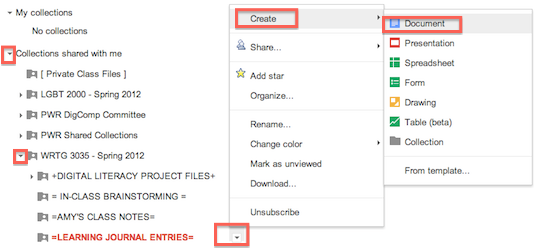
To create a new document within Google Docs that will automatically appear in the target folder, click on the drop-down menus to the left of each folder title to display the target folder. Then click on the drop-down menu to the right of the target folder’s title to activate a menu from which you can create a new document, as shown below.